![GTR Logo-01-n-text-white-2.png]](https://knowledgebase.getthereferral.com/hs-fs/hubfs/GTR%20Logo-01-n-text-white-2.png?height=40&name=GTR%20Logo-01-n-text-white-2.png)
Steps for Accepting New Terms & Conditions Overview
1. Login to Appstore Connect
2. Click on Agreements
3. All Pending Agreements will be displayed
1. Login to Appstore Connect
https://appstoreconnect.apple.com/login?targetUrl=%2Fapps&authResult=FAILED
2. Click on Agreements
.png?width=688&name=Untitled%20design%20(2).png)
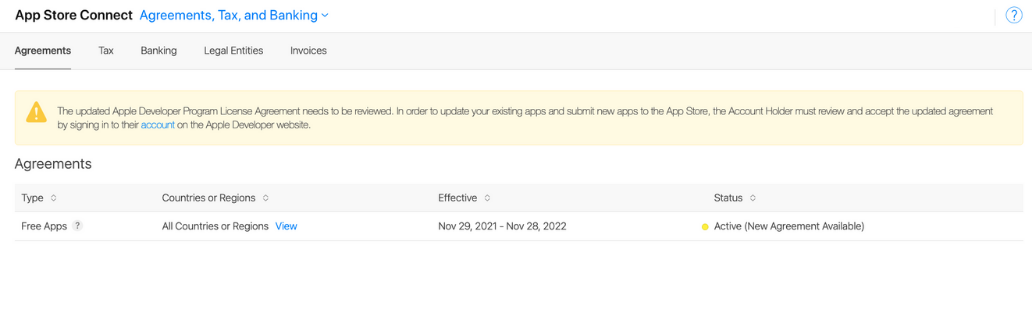
3. All pending Agreements will be displayed
The updated Apple Developer Program License Agreement needs to be reviewed.
In order to update your existing apps and submit new apps to the App Store, the Account Holder must review and accept the updated agreement by signing in to their account on the Apple Developer website.